






face recognition
face recognition
face recognition
face recognition face recognition face recognition face recognition face recognition
face recognition face recognition
face recognition
face recognition
face recognition
Luxand Blink! – Configuration face recognition
face recognition face recognition
After you install Luxand Blink!, the program opens the Configuration wizard. This wizard is where you will register your face (that is, have the program “remember” your face) for automatic login to Windows.

To register your face, follow these steps:

1. In the Configuration wizard’s Welcome window, do one of the following:

  • To register your face now, click Next and continue to step 2.
  • To close the wizard and register your face later, click Configure later.
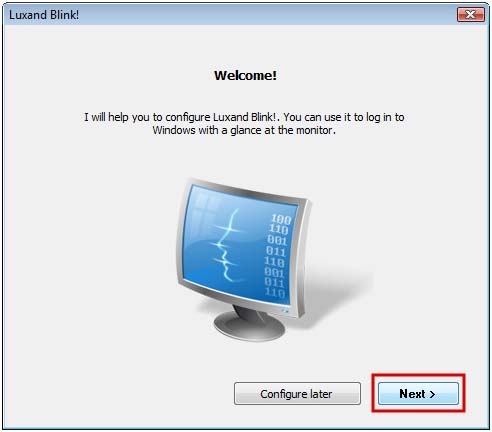
Note: If you do not want to register your face immediately after installation, you can do so later by double-clicking the Luxand Blink! icon in the system tray and clicking the Remember button. (Important! You must register your face before you can automatically log in to your PC by face.)


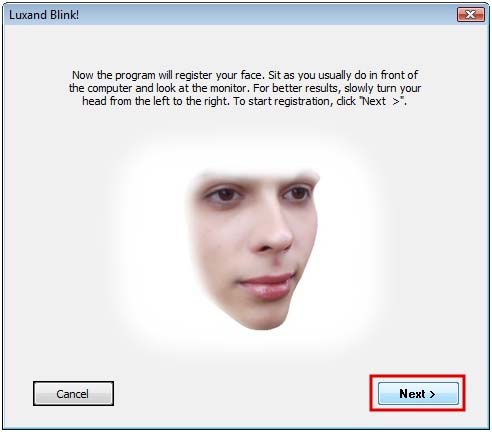
2. Read the instruction in the next window carefully and click Next.

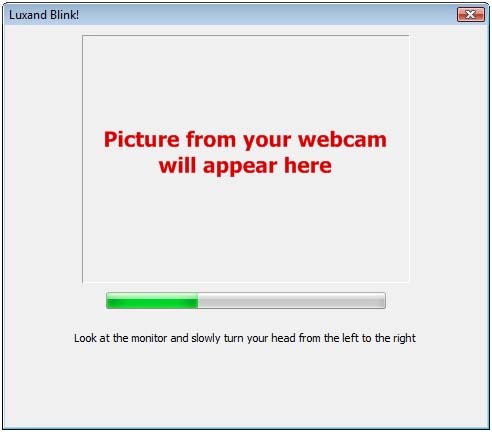
3. The program starts the enrollment of your face. Slowly turn your head to the left and to the right, while looking into the monitor.

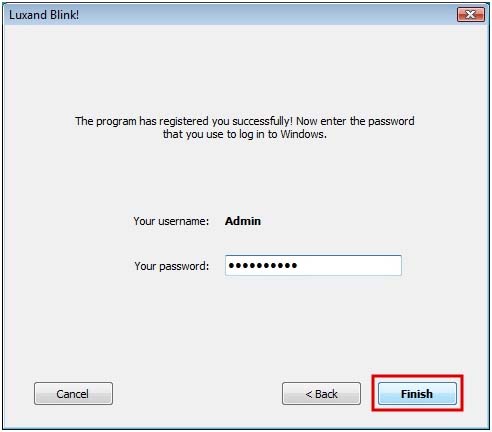
4. Once your face is registered, the program prompts you for your Windows login credentials and whether you want to enable face locking. Do the following:

a. Type the password for your Windows account.

b. Click Finish.
 

Next chapterHow It Works

Contents

face recognition
Top Downloads

Blink! Pro
Log in to your PC by simply looking at it.
BabyMaker
Don't wait nine months to see your baby! All you need is two pictures.
ProphecyMaster
What Will You Look Like in 20 Years?
Glamourizer
Turn ordinary photos into glamour portraits, hundreds at a time.

Latest News

08.02.2012 Blink! Pro Learns to Hide
Blink! Pro Learns to Hide! The newest update allows you to hide Blink! Pro for greater security.

08.02.2012 Blink! Pro Learns to Learn
Blink! Pro Learns to Learn! The newest update allows you to train Blink! Pro for better facial recognition.

07.12.2011 FaceSDK 4.0 Released
FaceSDK 4.0 goes real-time, making better use of multi-core systems

face recognition

Solutions  |  Products  |  Download  |  Privacy  |  Support  |  Development  |  Press  |  About Luxand
© 2005-2012 Luxand, Inc.
face recognition
face recognition
face recognition
face recognition

