










The Glamourizer window is shown below:
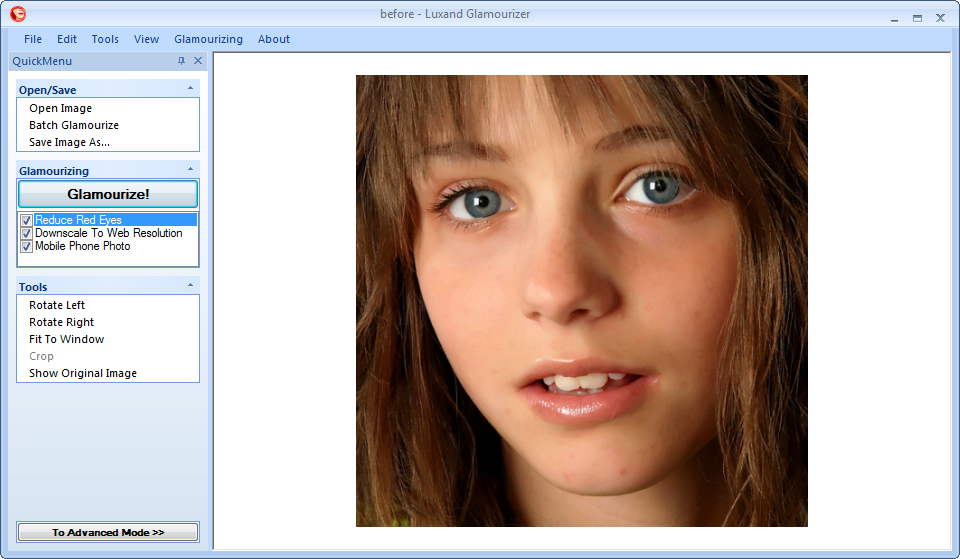
Quick menu
Quick menu commands are also accessible through the menu bar.
Window with a photo
The user can scroll the photo up and down with the mouse or scroll bar thumb. The mouse wheel is used to zoom in and out of the picture. To scroll the picture, one uses the mouse, keeping the left button down. It’s also possible to use the scroll bar. Scrolling the picture makes it convenient to work with the program. Results of these operations are not saved.
Main menu bar
File →
Open Image – Open a photo
Batch Glamourize – Edit a batch of photos
Save Image As.. – Save an edited photo
Print – Send to printer
Print Setup – Configure printer settings
Exit – Exit the program
Edit (available only in manual mode) →
Undo – Undo the last operation
Redo – Redo the last operation
Tools →
Rotate Left – Turn an image 90° to the left
Rotate Right – Turn an image 90° to the right
Fit To Window – Display the entire photo within the window
Crop – Crop a part of a photo (available only in manual mode)
Show Original Image – Display a source photo without editing
View →
Quick Menu – Display the panel with the main commands for the selected mode (enabled by default)
Image List – Display the list of images for editing in batch mode
Glamourizing →
Advanced mode – Enable manual editing mode (disabled by default)
Automatic Mode Functions – Select editing options for automatic mode (Read more on the topic in Automatic Mode)
Advanced Mode Functions – Select editing options for manual mode (Read more on the topic in Manual Mode)
Face Glamourizing Functions – Select options for face enhancement (Read more on the topic in Manual Mode à Face Enhancement Features)
Batch Glamourizing Functions – Select editing options for batch mode (Read more on the topic in Batch)
About →
About Luxand Glamourizer… – Read information about the program





